
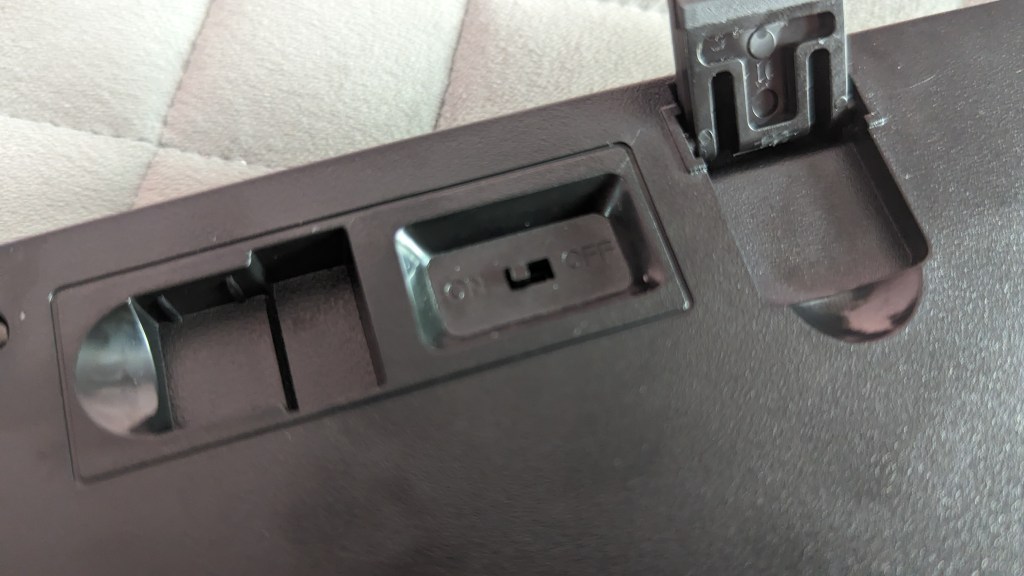
I bought this as I have been after a low-profile Mechanical keyboard for work and gaming, I had seen some reviews online which advised that this was one of the lower-priced keyboards that were good for the price. The build material feels very good, with a metal top that doesn’t cave in with some pressure and the bottom feels thought about with a cheap-looking power switch and somewhere to store your USB dongle. Finally, you have the customary rubber feet that you find on all keyboards.
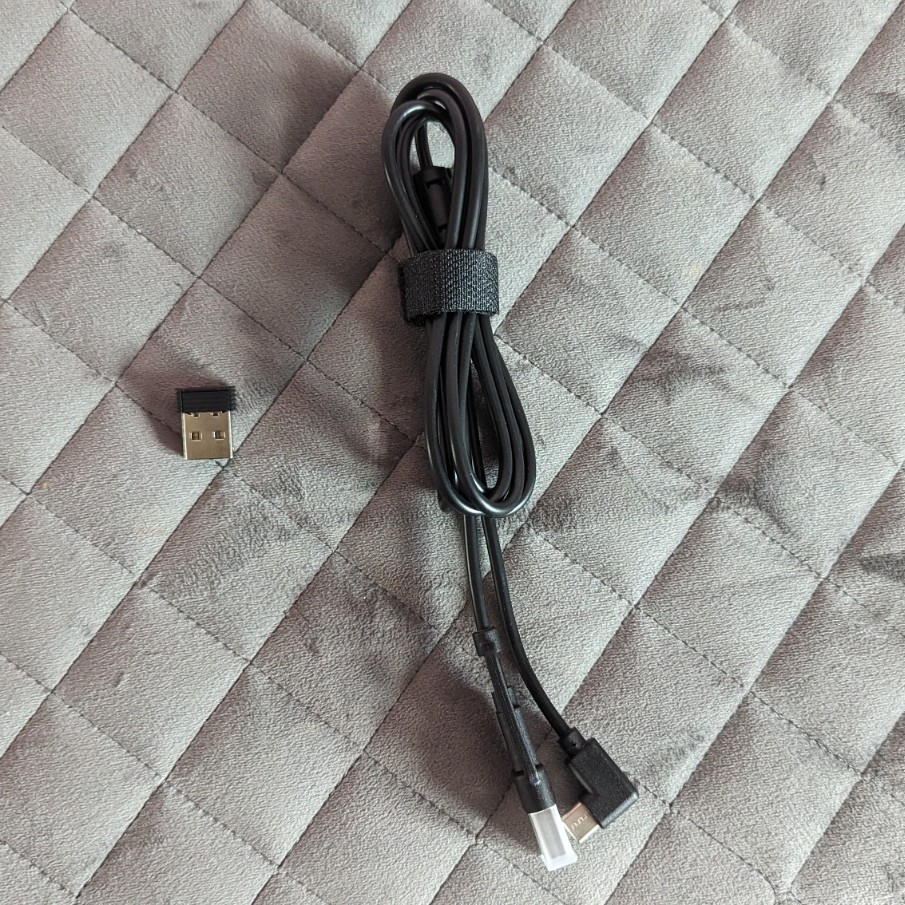
I paid £55.99 for this keyboard with 20% off, and next-day delivery through Amazon Prime. It came packaged with a USB C to C (with a USB C to A adaptor), 4 spare red low profile switches, a keycap puller and a switch puller.

It’s really easy to pair to your devices as there are three Bluetooth options, USB c and a 2.4ghz dongle all to choose from. I did get the Bluetooth to connect however I tried to redo the connection for Bluetooth 1 and no devices can see it broadcasting even after a reset of the keyboard.
I have been using a combination of Bluetooth for my work computer, a dongle or USB C for my personal laptop, the issue with Bluetooth has only currently affected Bluetooth 1 so I’ve had to use Bluetooth 2 for my work laptop. I haven’t tried to recreate the issue so I’m not sure what has caused it.
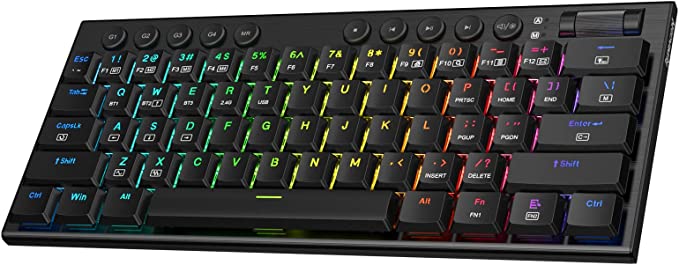
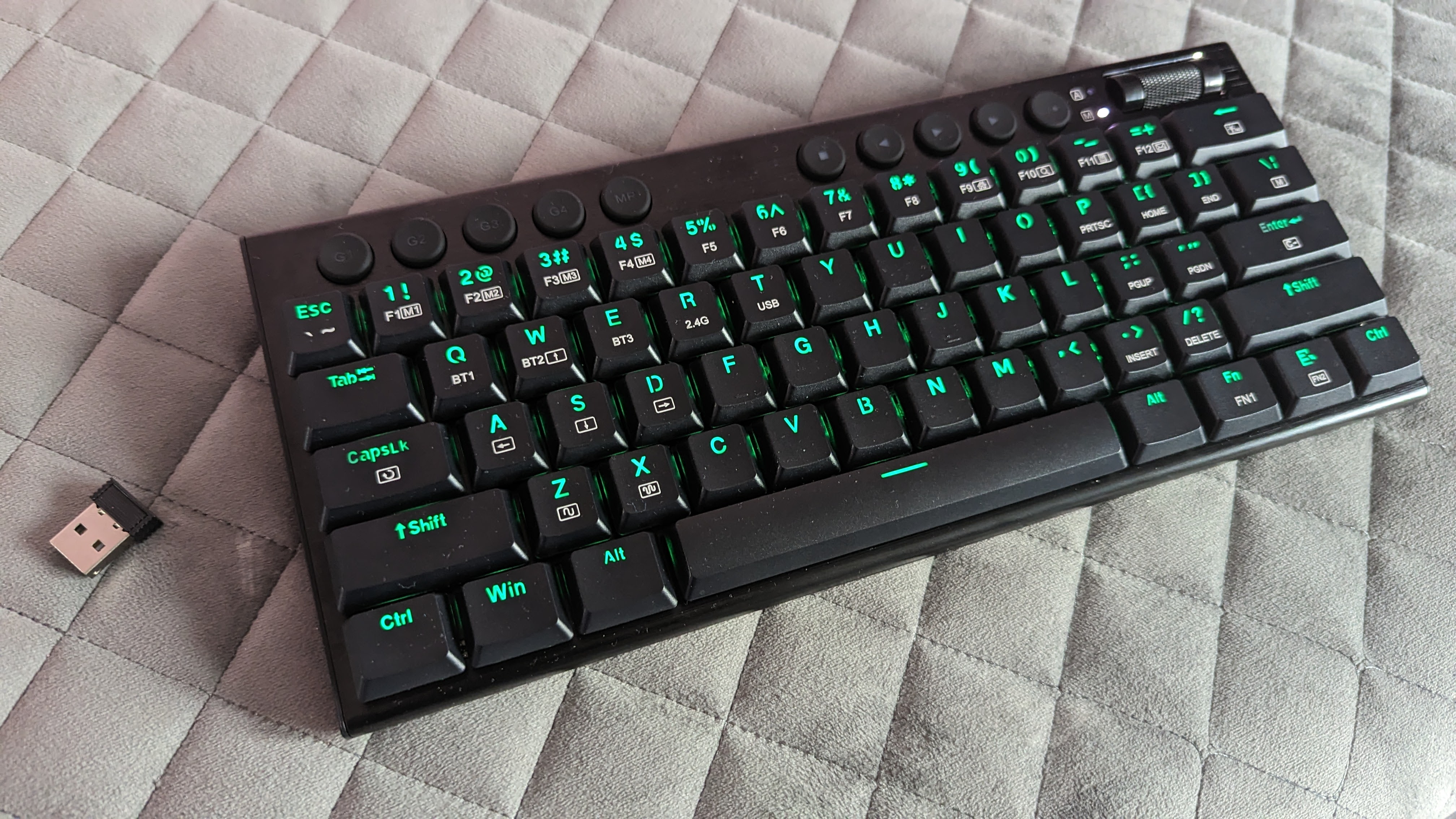
You can choose from 9 colours for the LEDs on the motherboard, I stuck with Green as you can see in the picture but the other options are Red, Blue, Yellow, Purple, Cyan, White, Dark Green, and Orange or you can just decide to turn the lights off. If you download the Redragons software from their website, you can even choose from multiple patterns and key press reactions.
The keyboard uses low-profile red switches, which means that its height is only 3.8cm. You can buy blue and brown low-profile switches on eBay and Amazon if you prefer different switches.
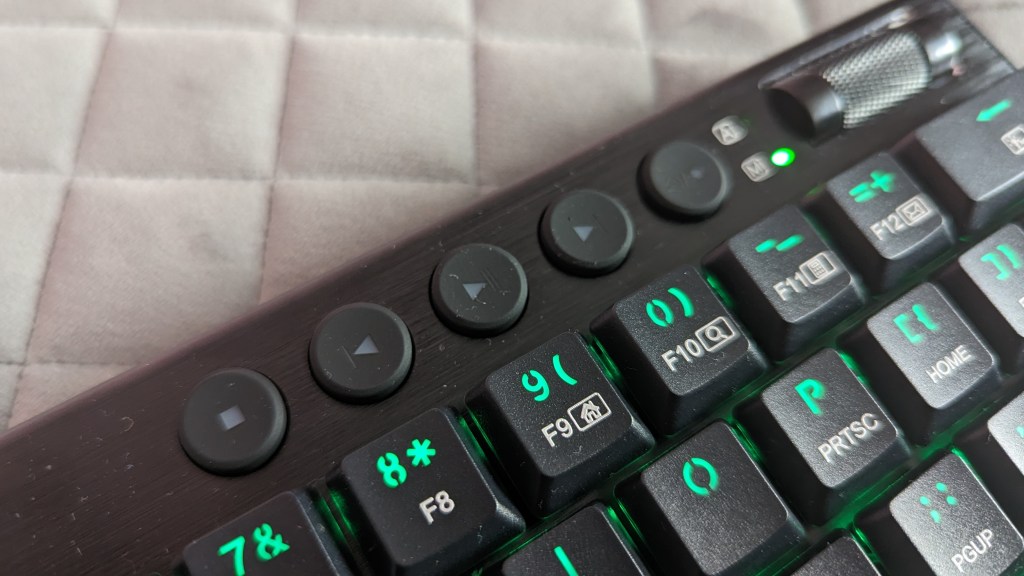
Along the top of the keyboard are the macro and media buttons. There are 4 media buttons, which control any media on your device. You can stop, skip back play/pause and skip forwards any media that is playing on your device.

The last media button works in conjunction with the volume barrel. When lit you can adjust the brightness of the RGB lights on the keyboard, when the button isn’t lit it turns your volume up and down as you would expect. Sadly you can’t press the barrel to mute. Next to the barrel is the mode light to remind you how you are connected (Green is 2.4Ghz Dongle, Blue is BT1, Cyan is BT2, Purple is BT3 and White is USB), and the top light [A] is for your caps lock.
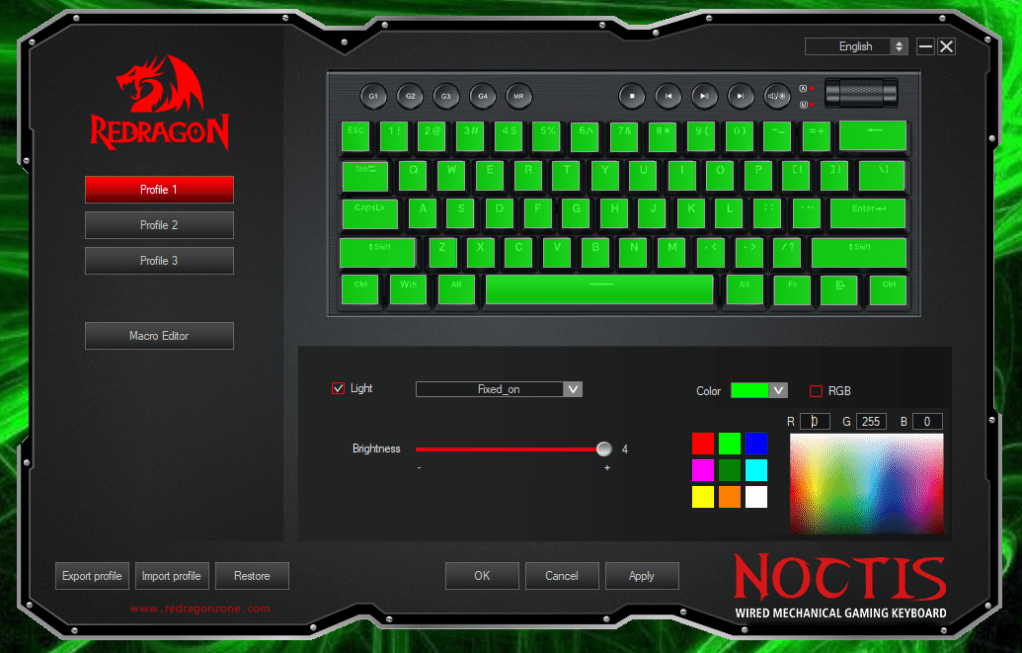
The software you have to download from the Redragon website and each product has its own program that you need to download. when you try to download the software you will be shown an alert by Windows which you can ignore. The Software allows you to set the effects, the backlight colour and also create macros. You don’t need to download the software to be able to use the keyboard it just allows you to create multiple macros and use the effects easily.
I found this to be a nice keyboard for anyone that doesn’t want to spend a lot of money on a mechanical keyboard. However as it doesn’t have any dedicated arrow keys, I decided to return it for a different keyboard. I spent a bit more money and got the Redragon K621. Don’t let that put you off, if you don’t need the dedicated arrow keys then this will be a good choice for you.
Let me know if you would like me to write a review of the Redragon K621 keyboard.
My Setup
Dual Dell Monitors – https://amzn.to/483yRmS
M4 Pro MacBook Pro 14″- https://amzn.eu/d/1hONRrV
Redragon K621 Horus – https://amzn.to/45CXFAy
Ergonomic Wrist Rest – https://amzn.to/3P74H9P
Google Wifi – https://amzn.to/3LdnVJE
Lenovo ThinkPad USB 3.0 Pro Dock (Refurbished) – https://amzn.eu/d/36fxbr2
WORLDLIFT Quad Monitors Desk Mount – https://amzn.to/44DkfrK
Yottamaster 5 Bay Hard Drive Enclosure – https://amzn.to/480doLM
AUGOLA Laptop Stand – https://amzn.to/3RdiE8P
Redragon M693 RGB Wireless Mouse – https://amzn.to/45FfyPh
If you would like to donate directly to me, then do so at the following PayPal link – PayPal
If you would like to send me items to take a look at, then email us here

 Jamie Warren's Tech
Leave a comment