

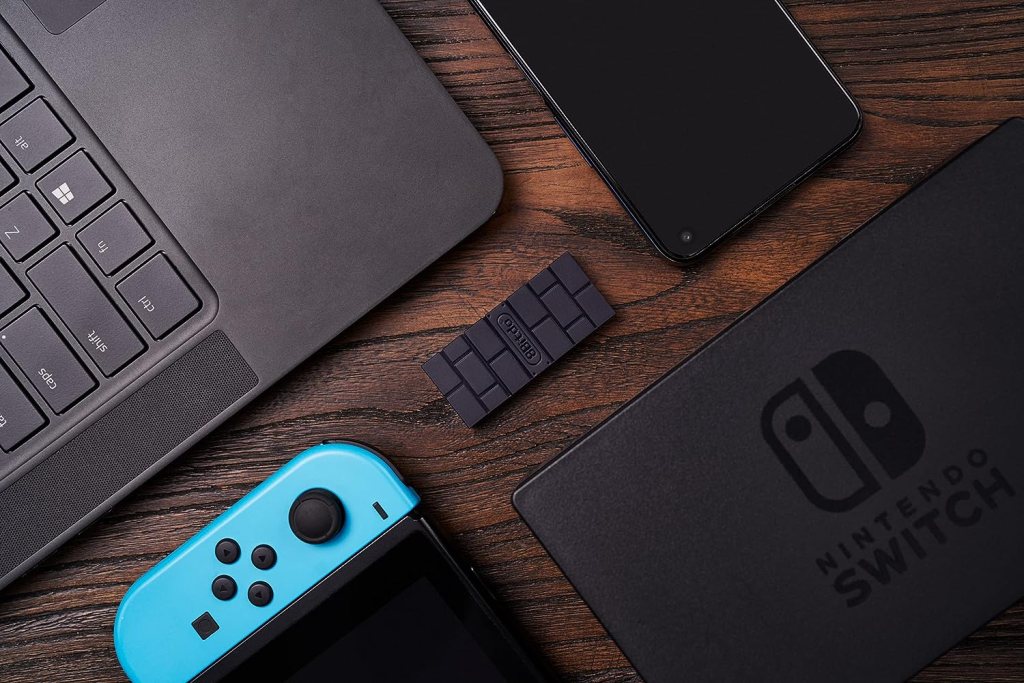
I bought this recently from Amazon as I was bored of using my current wired switch controller. It cost me £14.99 brand new, and I think it’s something that every who owns a Switch or PC should buy. The 8bitdo dongle allows the user to connect a non-switch Bluetooth controller to your switch or PC.
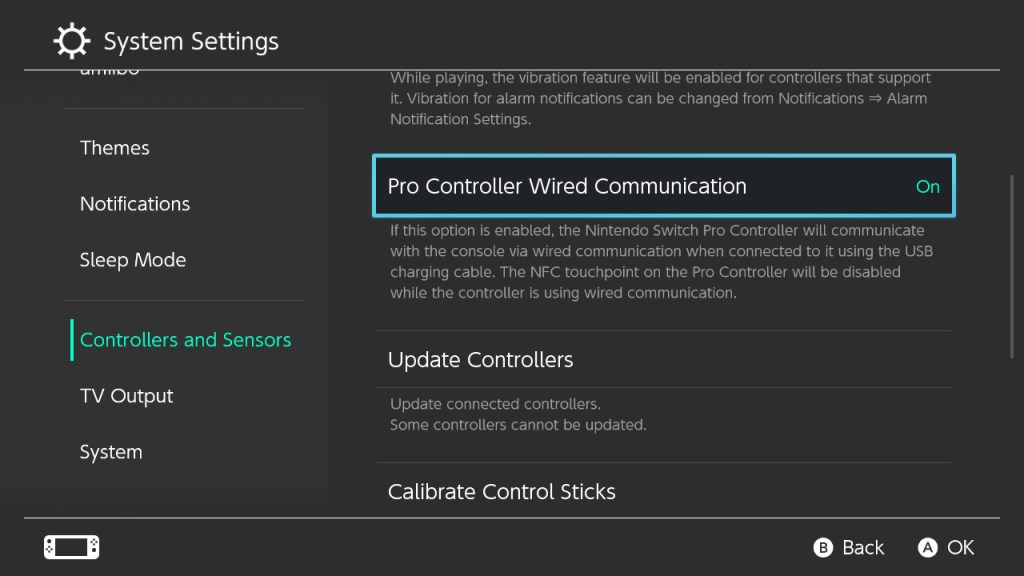
Right now I have it plugged into my switch so that I can use my XBOX controller as a Pro controller. For this to work you have to enable the wired pro controller communication setting in your switch’s settings. then press the sync button on both the controller and the dongle and they will connect.
Once you have the XBOX controller synced to the dongle you can even move it to your PC and it will “plug and play” as the dongle saves the controller’s ID. The connectivity isn’t just limited to the XBOX controller either, it will translate your button presses and then send the respective button to the PC, Switch, MAC or Raspberry Pi that you are using.

I use this with my switch, as I prefer the feel of the XBOX controller and don’t want to be constantly detaching the Joycons when I dock my switch. Each of the XBOX controller buttons is perfectly mapped to the correct buttons even if the switch’s buttons are switched (switch YXBA, XBOX YXBA) but the dongle doesn’t miss a step, you just have to train yourself to use the opposite button to the one shown on the switch.
If you’re looking for a new controller and you have a spare XBOX or Playstation controller lying around then I would recommend that instead of paying £50 – £60 for a pro controller or some new Joycons, instead pay £15 for this dongle and make use of the controllers you already enjoy using.
The Dongle itself feels well built for £15, it’s roughly the same size as a USB memory stick and it leaves enough room for you to plug in a USB controller. However, you wouldn’t be able to fit two of these dongles side by side, so you would need to buy a USB extension cable but if that is the case then you might as well use a single joycon as it would be cheaper.
If you would like to buy this, then please use my Amazon Affiliates link – https://amzn.to/3RrH7aO. This post has been more of a how and why post, if you would like more like this then let me know in the comments below.
My Setup
Dual Dell Monitors – https://amzn.to/483yRmS
M4 Pro MacBook Pro 14″- https://amzn.eu/d/1hONRrV
Redragon K621 Horus – https://amzn.to/45CXFAy
Ergonomic Wrist Rest – https://amzn.to/3P74H9P
Google Wifi – https://amzn.to/3LdnVJE
Lenovo ThinkPad USB 3.0 Pro Dock (Refurbished) – https://amzn.eu/d/36fxbr2
WORLDLIFT Quad Monitors Desk Mount – https://amzn.to/44DkfrK
Yottamaster 5 Bay Hard Drive Enclosure – https://amzn.to/480doLM
AUGOLA Laptop Stand – https://amzn.to/3RdiE8P
Redragon M693 RGB Wireless Mouse – https://amzn.to/45FfyPh
If you would like to donate directly to me, then do so at the following PayPal link – PayPal
If you would like to send me items to take a look at, then email us here

 Jamie Warren's Tech
Leave a comment