
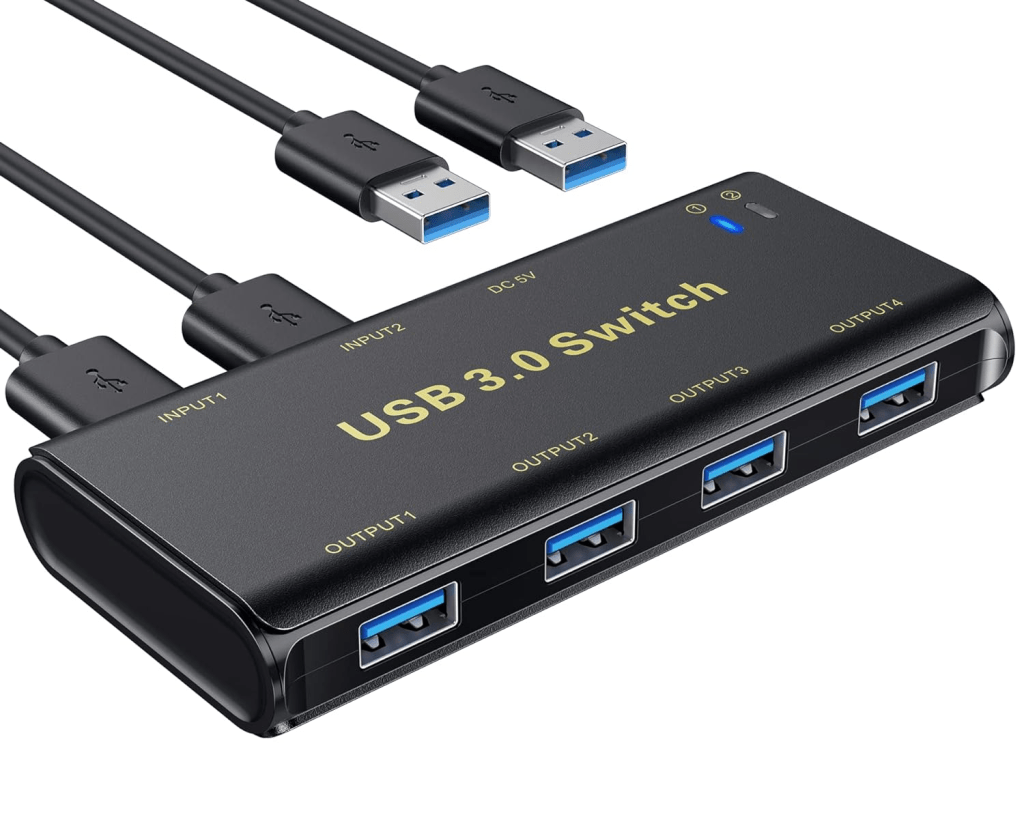

I bought the USB hub switcher in 2020 for £18.69, as I was using 2 laptops (work and personal) daily. Before I bought this USB switcher, it was a pain when using the same external keyboard and mouse for both computers. It means you have to unplug from one device and then re-plug it back into the other, the USB switcher will do this for you.
There are a few different USB hubs on the market, you can buy other versions that support 3, 4 and even 8 different computers. For normal users, the 2-device option will be fine, however, if you work in a more production type of environment, then you may need the switch with up to 8 USB ports. Another addition to some models is that you can get a Remote which means that you can select which computer you want to be using, however, this wouldn’t make a difference to anyone who is using less than 3 computers.
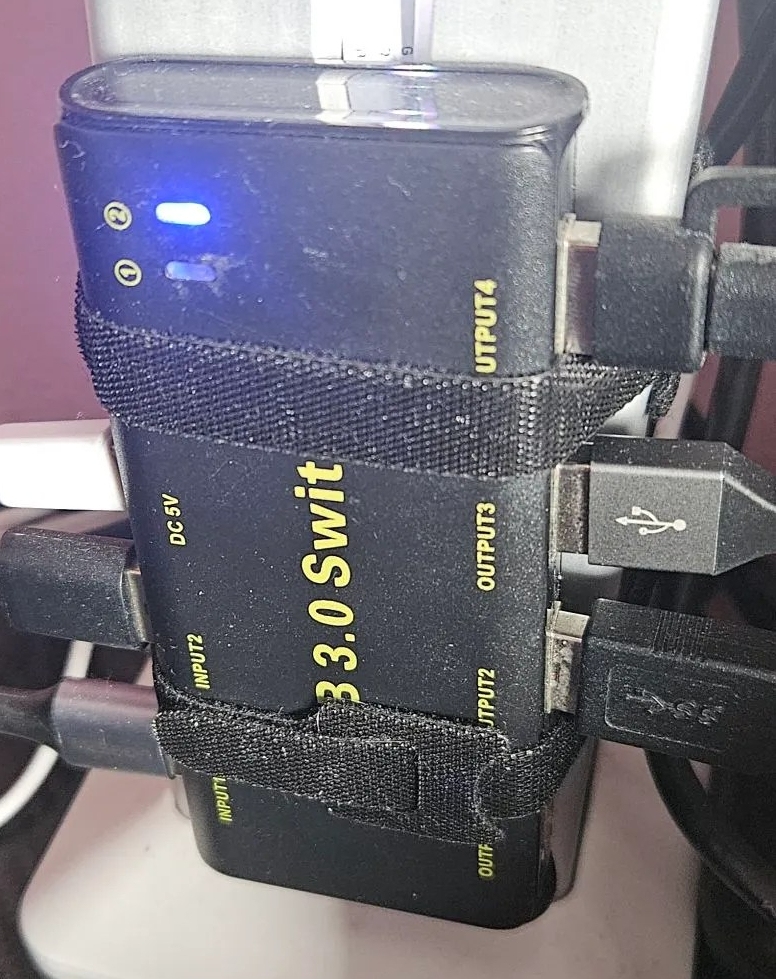
When I first bought this it was a fair price, but since then the price has increased its price to £27.54. As the price has increased so much, it seems that the seller is either paying more for the device at wholesale or taking advantage of the current work-from-home culture, but either way, I would recommend waiting for it to be on sale before buying it. There is a “newer” version of this switch that uses the same components and ports, but it looks a lot cheaper than the one I bought and it’s priced and a much better price of £15.99. I would recommend you buy this version based on price alone.

On the Amazon listing, it boasts KVM Switch Box, but KVM stands for Keyboard, Video and Mouse, and this doesn’t have a display out so the name doesn’t match the KVM, however, alongside the Docking station you can make a Janky but workable KVM which will add your monitor to the mix of devices that you don’t need to keep unplugging and re-plugging into your computers. I’ll write about this in a later post soon. This USB switch isn’t for everyone, it’s for those people who are using more than 1 computer and don’t want to keep swapping the peripherals over to the other device when they start or finish work. If you fall into this category, I recommend getting a USB switching hub for your desk.
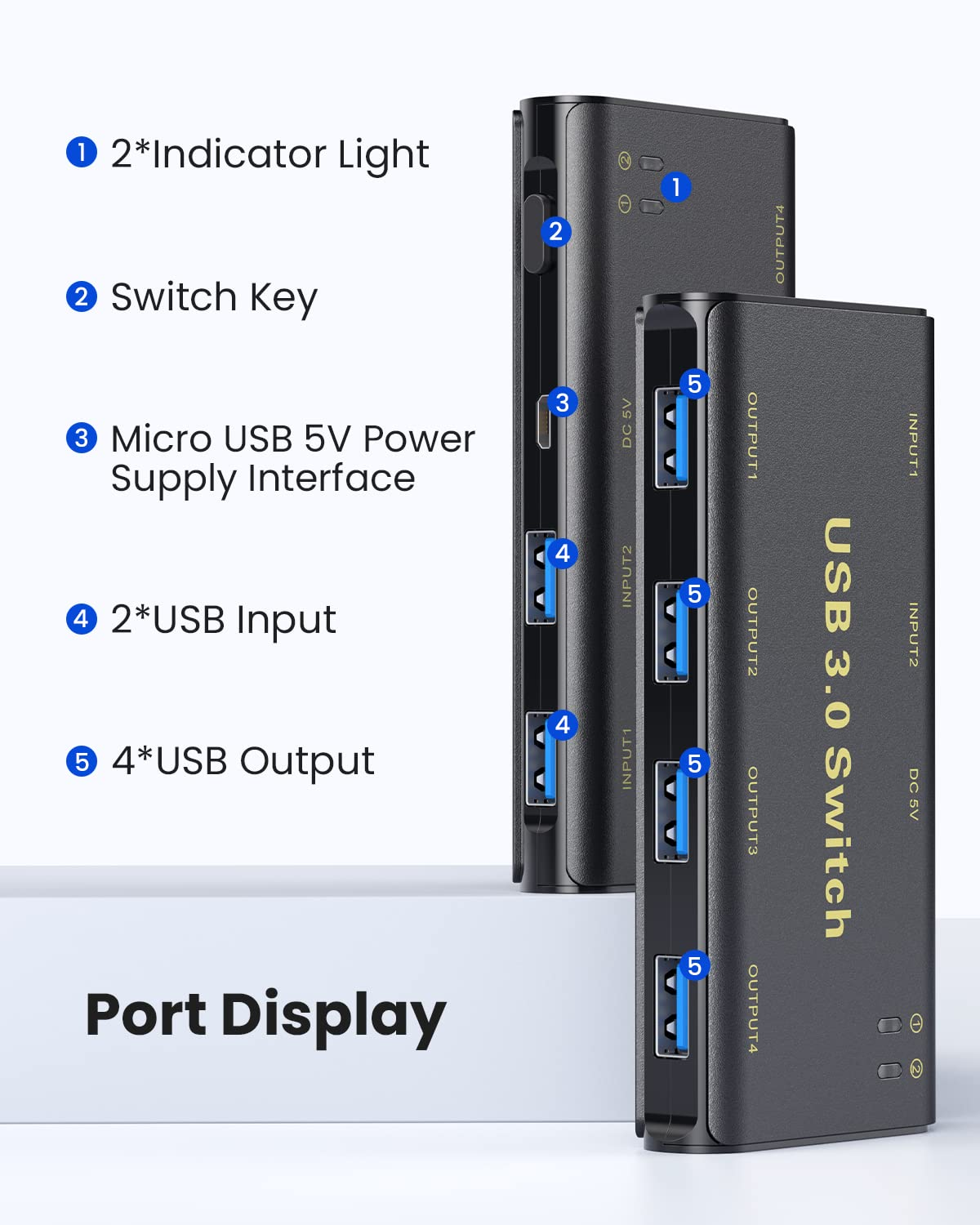
The left side of “KVM” had 2 full-speed USB A 3.0 ports that connect your computers, a micro USB for power and a button to switch between them. On the right are 4 USB ports for your chosen devices, when I first set this up I had my Keyboard, Mouse, Webcam, and a USB hub for other devices. On the top of the switcher, you have two LEDs that stay lit so that you can identify which computer is selected.
When plugging in the USB switcher, you can use the button to switch between the two computers. However, if you have one of the computers turned off, and then turn it on, the switcher will automatically switch to that device. This can be annoying when I’m working on my work PC and using the USB port and then need to turn on my personal computer, it will then switch the USB stick over.
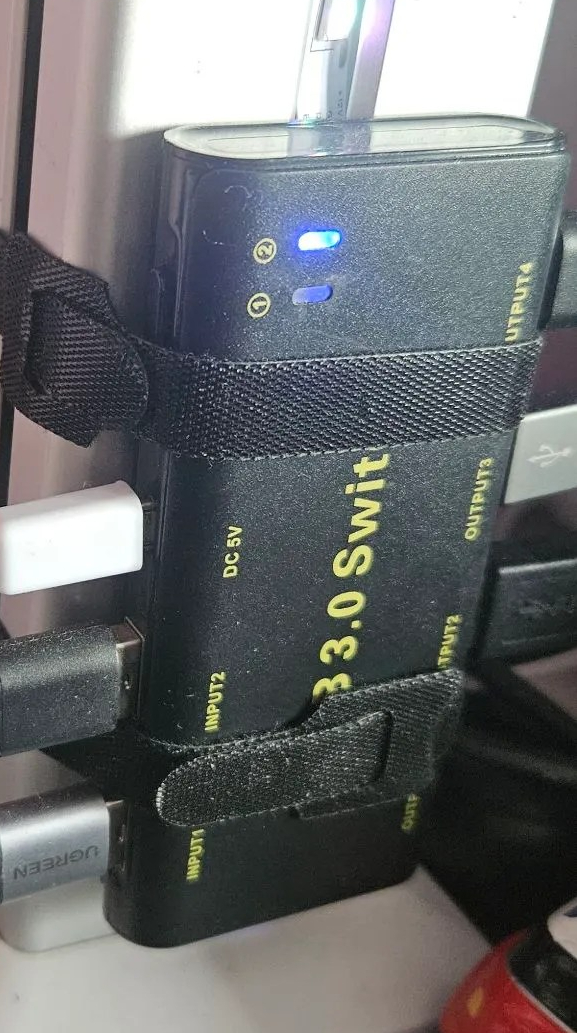
You can power the hub in two ways, via the computers that the switch is plugged into or by the Micro USB port, I would recommend doing both as it will supply more power to any devices that you have connected. The ports on this device are USB 3.0, which is part of the high-speed specification with data transfer speeds of up to 5 Gbit/s, perfect for plugging in Drives and other peripherals. I do like the hub as it allows me to use up to 4 peripherals with ease with speeds of up to 5Gbits/s, however, it does come with drawbacks. The manufacturers haven’t made the switch from Micro USB to USB C, which as you know means that you will need to replace the cable regularly. I also tried to change the USB A to A cables for USB A to C but that didn’t work, however, that could just be due to my Lenovo Laptop only using USB C v1 protocol.
Links to the produce are here;
Original USB Switch – https://amzn.eu/d/aa3JRGU
New Version Switch – https://amzn.eu/d/jjlzbh7
Keep an eye out for the post about my janky KVM setup, coming soon!
My Setup
Dual Dell Monitors – https://amzn.to/483yRmS
M4 Pro MacBook Pro 14″- https://amzn.eu/d/1hONRrV
Redragon K621 Horus – https://amzn.to/45CXFAy
Ergonomic Wrist Rest – https://amzn.to/3P74H9P
Google Wifi – https://amzn.to/3LdnVJE
Lenovo ThinkPad USB 3.0 Pro Dock (Refurbished) – https://amzn.eu/d/36fxbr2
WORLDLIFT Quad Monitors Desk Mount – https://amzn.to/44DkfrK
Yottamaster 5 Bay Hard Drive Enclosure – https://amzn.to/480doLM
AUGOLA Laptop Stand – https://amzn.to/3RdiE8P
Redragon M693 RGB Wireless Mouse – https://amzn.to/45FfyPh
If you would like to donate directly to me, then do so at the following PayPal link – PayPal
If you would like to send me items to take a look at, then email us here
 Jamie Warren's Tech
Leave a comment